3D Print File Management · Windows Only
Your print library,
finally organized.
PrintShelv keeps your entire STL/3MF collection catalogued, searchable, and ready to print — no more hunting through folders.
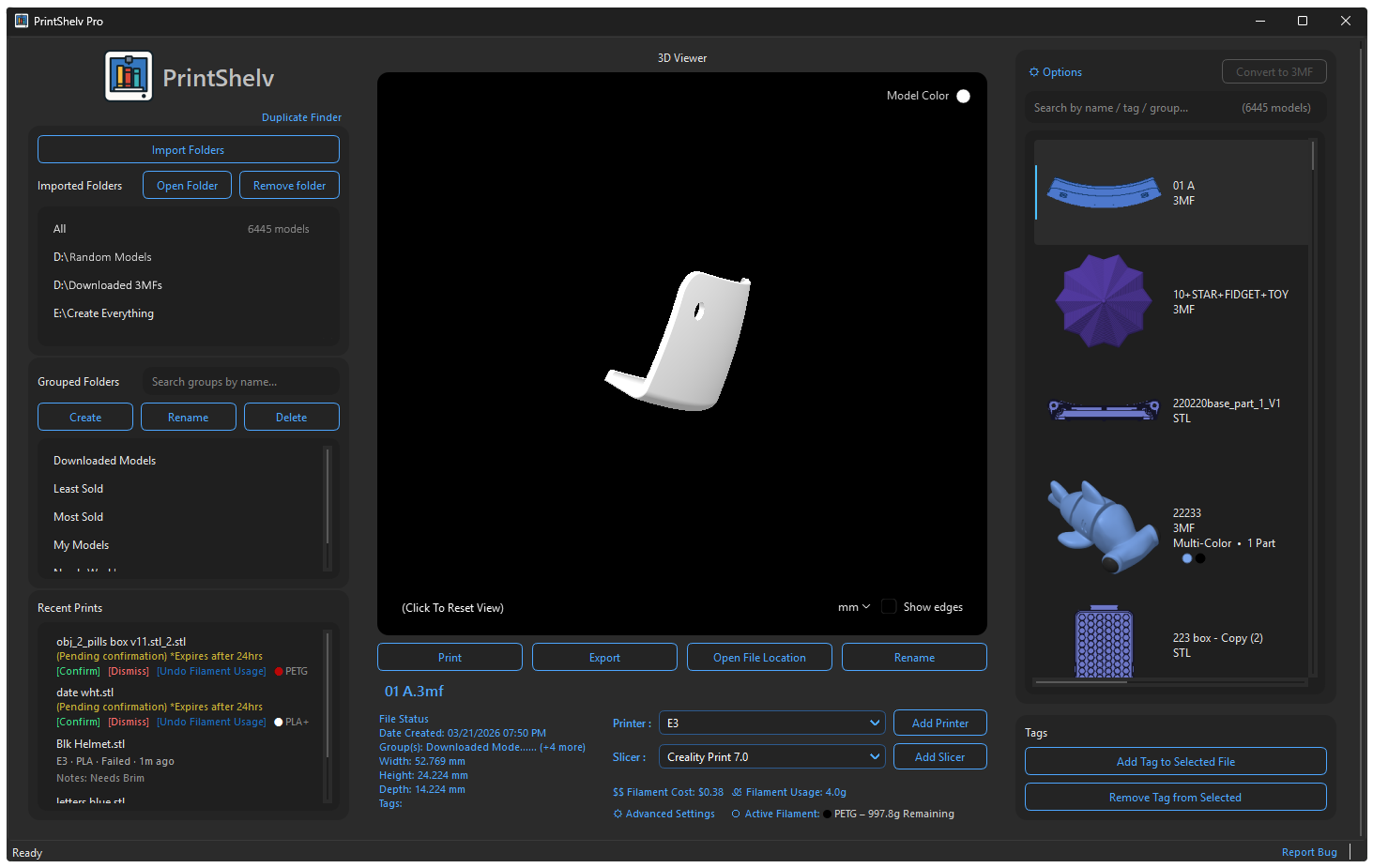

PrintShelv keeps your entire STL/3MF collection catalogued, searchable, and ready to print — no more hunting through folders.
Why PrintShelv
Everything you need to manage a large collection of 3D print files, without the mess.
Preview any STL or 3MF directly inside the app — no need to open your slicer just to see a model.
Find any file across thousands of models in milliseconds by name, tag, or group.
Create custom groups and apply tags to keep every file organized exactly the way your workflow needs.
Send any file to your preferred slicer instantly. PrintShelv works with every slicer you already use — Bambu, Orca, Cura, PrusaSlicer and more.
See dimensions, date created, file type, and print history at a glance for any model in your library.
Import as many local folders as you need. Every file is indexed and ready to find in seconds.
Track unlimited filaments · Search by Name, Type, Low, Active, or Empty filaments. Usage automatically deducted from Active Filament.
See filament usage and cost instantly, per model. Automatically import G-code for slicer-accurate weight and cost.
Choose Your Edition
Basic is free. Pro is a one-time purchase.
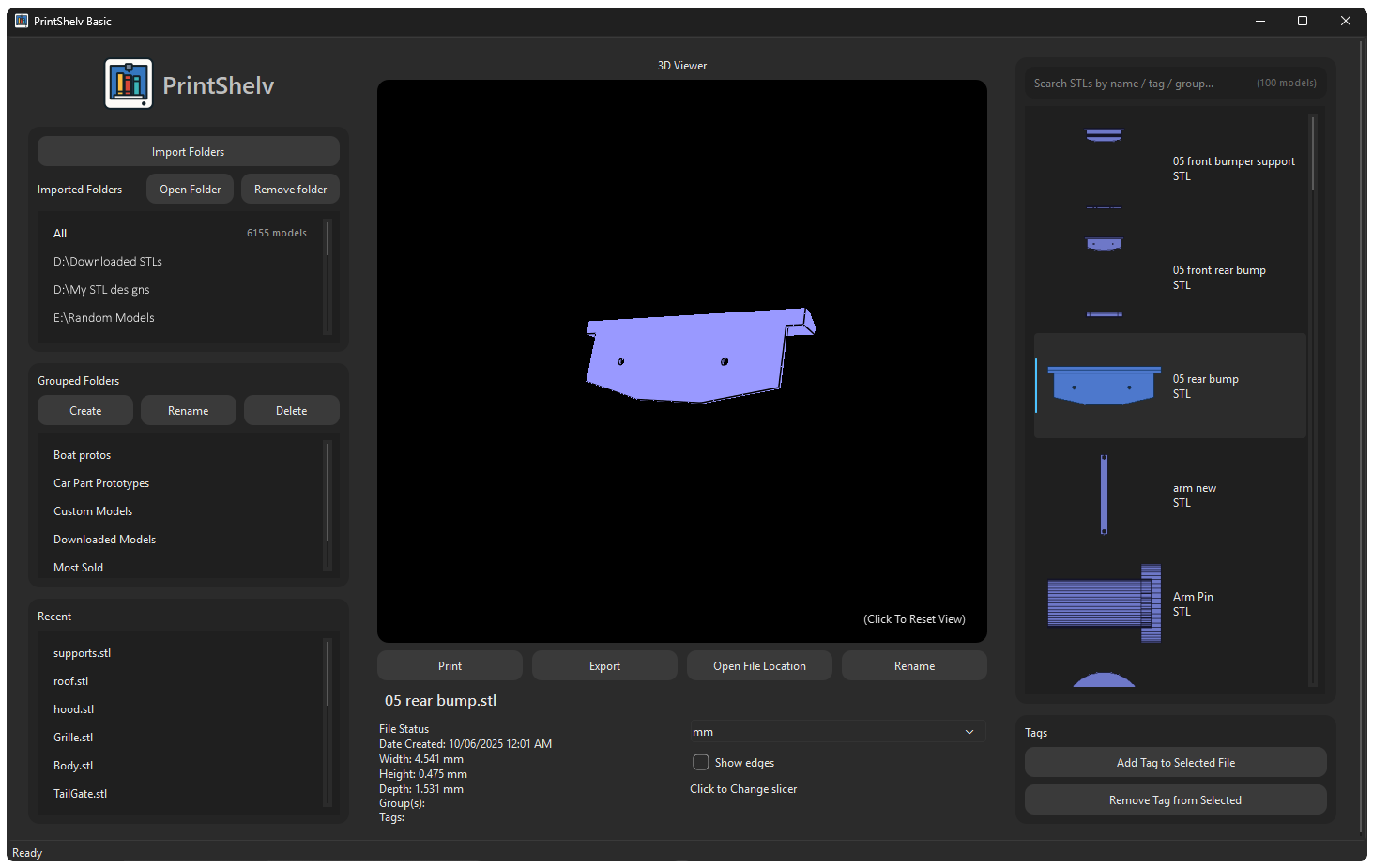
PrintShelv is a downloadable desktop application.
After purchase you receive instant access to download and your license.
Feature Comparison
| Feature | Basic | Pro Most Popular |
|---|---|---|
| Import unlimited folders | ✓ | ✓ |
| 3D STL viewer | ✓ | ✓ |
| Search by name or tag | ✓ | ✓ |
| Custom groups & tags | ✓ | ✓ |
| Print, Export & Rename actions | ✓ | ✓ |
| Recent files panel | ✓ | ✓ |
| Windows only | ✓ | ✓ |
| Customizable model color | — | ✓ |
| Built-in Filament Manager | — | ✓ |
| Auto Import G-code | — | ✓ |
| Duplicate finder | — | ✓ |
| Printer & Slicer management | — | ✓ |
| Print history with status & notes | — | ✓ |
| 3MF multi-color & multi-part support | — | ✓ |
| Group search bar | — | ✓ |
| Faster browsing | — | ✓ |
| Convert STL to 3MF | — | ✓ |
| Filament usage & cost per model | — | ✓ |
| Free lifetime update support | — | ✓ |